> For the complete documentation index, see [llms.txt](https://guide.ston.fi/llms.txt). Markdown versions of documentation pages are available by appending `.md` to page URLs; this page is available as [Markdown](https://guide.ston.fi/providing-liquidity/how-to-create-a-new-liquidity-pool.md).
# How to create a new liquidity pool
Learn how to create a pool v2 on STON.fi and seed it with liquidity in one transaction — simple, fast, secure.
Through the pool creation you may also add a new token to the protocol taking into account [STON.fi](https://ston.fi/)’s internal policy limitations and UI filtering rules.
{% hint style="info" %}
**Before you start**:
✅ Connect your wallet at app.ston.fi
✅ Have both tokens you’ll use (enough to seed initial liquidity)
✅ Keep a bit of GRAM for fees
✅ Check whether either token has fee-on-transfer / taxable mechanics, as this may affect how the pool and swaps are handled in the interface
{% endhint %}
🔎 Initial price matters: the token ratio you deposit sets the pool’s starting price. If it’s far from the market, arbitrage can move it (you may take a loss). If one of the tokens is taxable, its transfer mechanics may also affect received amounts and swap behavior.
### Step 1. Start pool creation
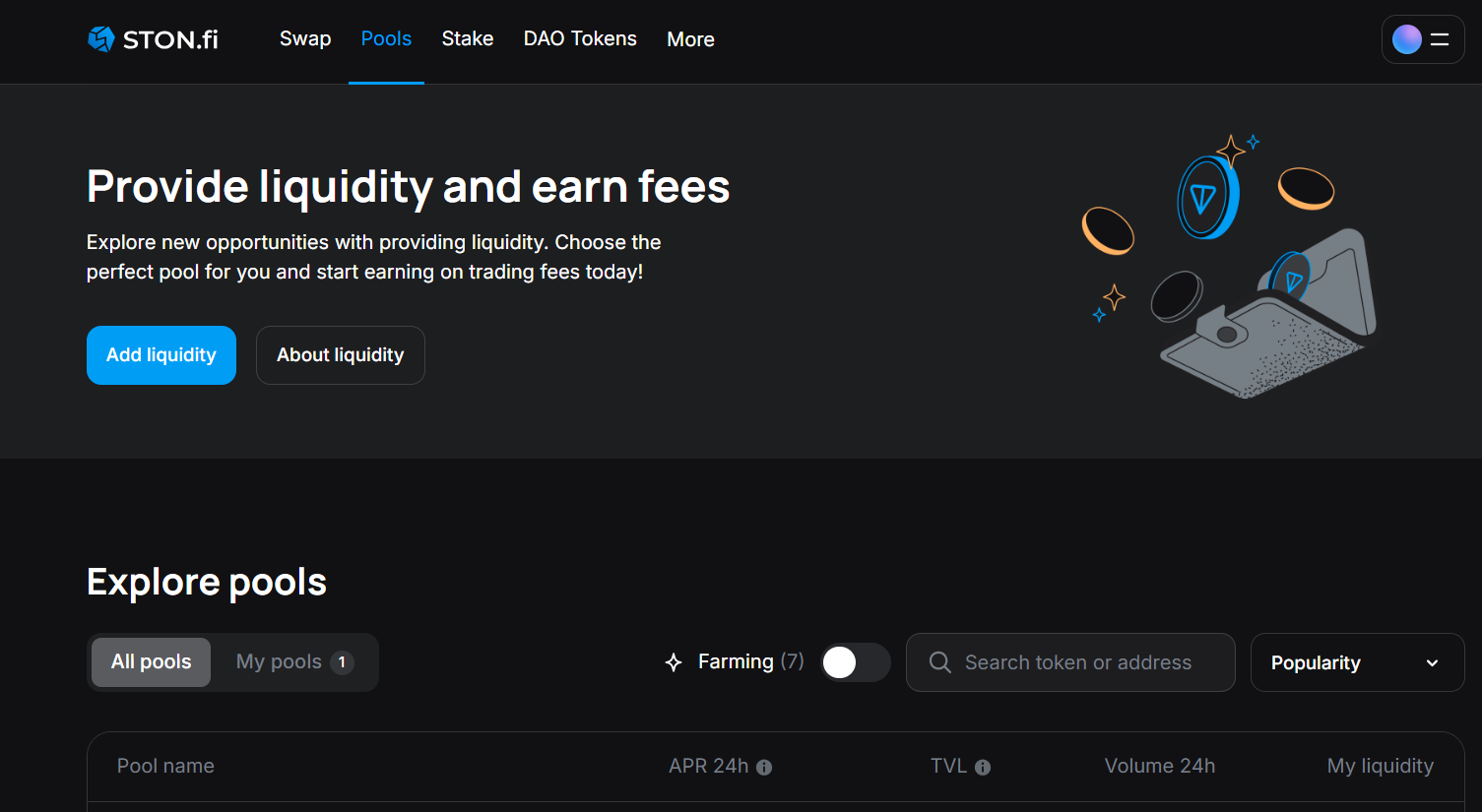
Open Pools → click Add liquidity.
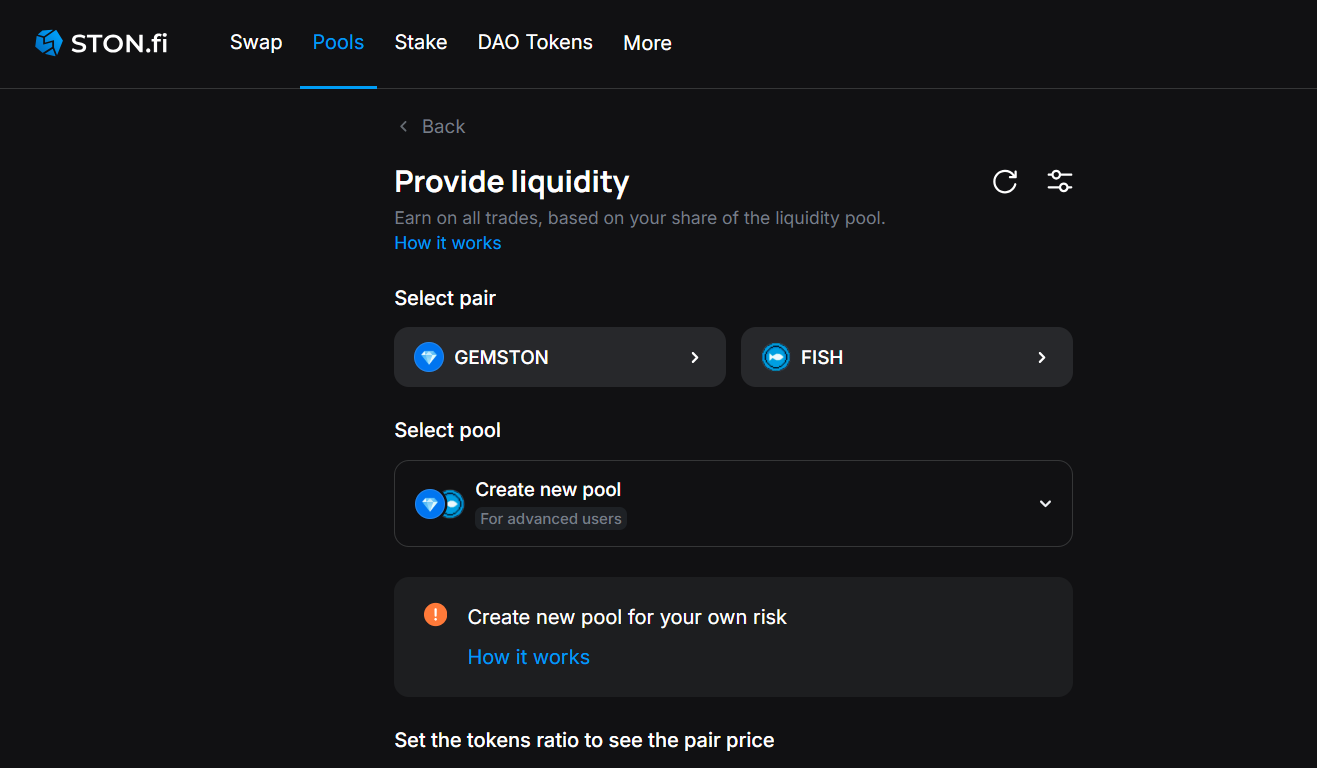
In Provide liquidity, select Token A and Token B (your new pair).
💡 Tip: verify token contracts (tickers can repeat).
### Step 2. Configure a new pool
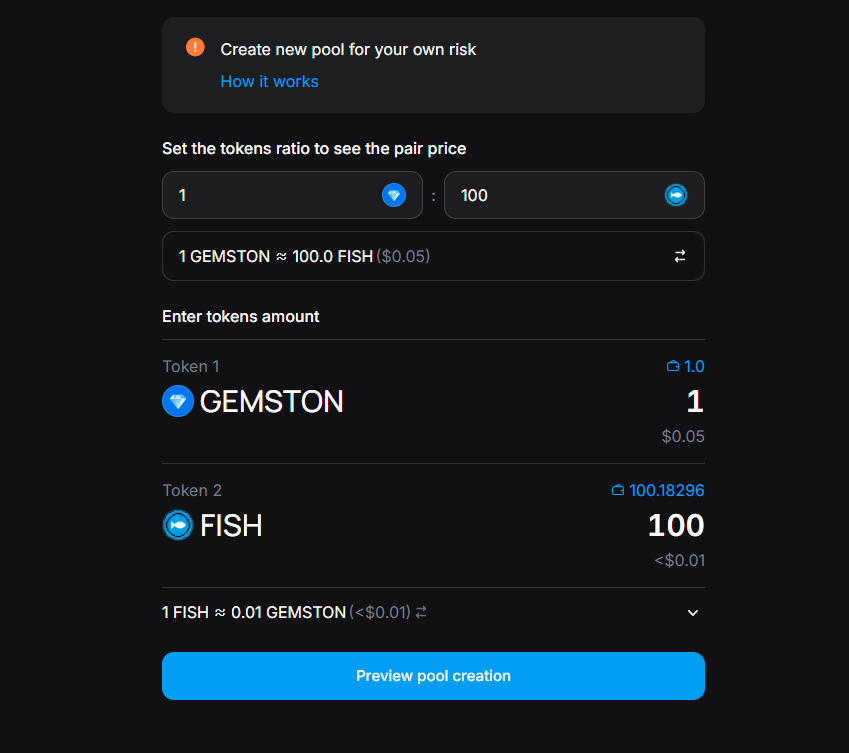
Under the info banner, set up the pool:
1. Set token ratio by entering deposit amounts for both tokens. This defines the initial price (Price = TokenB / TokenA).
2. Enter the amount of each token you’re adding as initial liquidity.
3. Click Preview pool creation.
💡 Quick sanity check:
* Does the implied price match the broader market?
* Is your liquidity size sufficient to keep price impact reasonable?
* Do you have enough GRAM reserved for fees?
* Does either token have fee-on-transfer / taxable mechanics that may trigger interface warnings or swap restrictions?
### Step 3. Review & Confirm
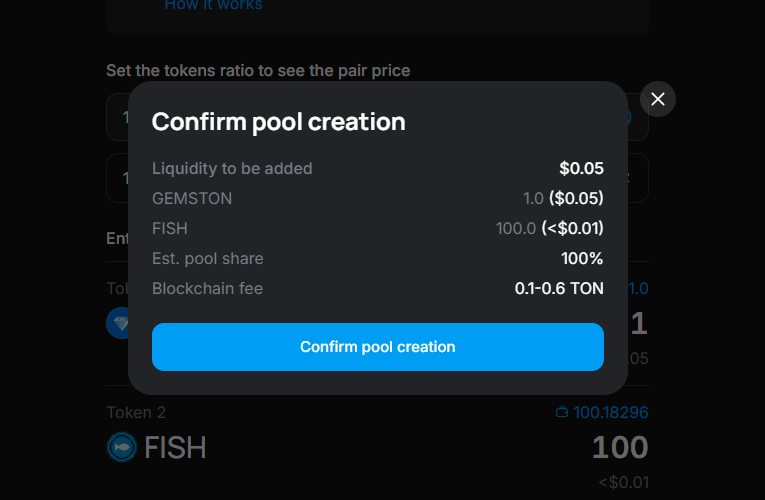
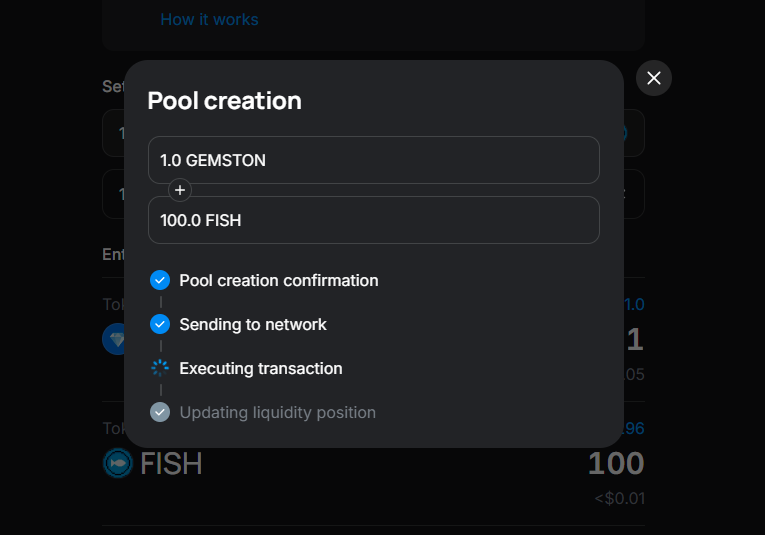
1. In the popup, review amounts, price, and fee reservation.
2. Fees are taken in GRAM from your wallet.
3. The liquidity you add is locked into the pool.
Click Confirm pool creation and approve in your wallet.
🎉 Done! Your v2 pool is live.
### Adding a token to STON.fi via a new pool
On STON.fi, anyone can introduce a new token by creating a v2 liquidity pool for it. This is the standard, permissionless way to make a token swappable via the protocol. If the token passes our interface policies (see below), it will also be discoverable in the app by name; otherwise, it may be accessible only by contract address or hidden from the UI.
#### Why STON.fi labels tokens
DeFi is open by design. Anyone can deploy a token, and that openness is one of blockchain’s core strengths. STON.fi does not decide what should or should not exist onchain. Labels are used only at the interface level to give users more context before they interact with a token. In other words, labeling is an interface-level transparency tool.
Labels are based on observable signals and documented inputs, such as user complaints, manual monitoring, honeypot alerts, and official legal requests.
### Labeled tokens: what it means in practice
* Most labeled tokens can only be found by entering the contract address manually.
* Fake and Honeypot tokens cannot be swapped in the STON.fi dApp.
* Taxable tokens may have limited support, but only under strict technical safeguards. Tokens with transfer tax above 10% are not supported for swaps.
* Suspicious and DMCA Notice labels act as warnings; such tokens may still be available in the dApp.
* A label does not remove a token from the blockchain. The token still exists onchain and may remain accessible through other interfaces or direct contract interaction.
💡 [Read more on how STON.fi labels non-standard tokens](https://blog.ston.fi/know-what-youre-interacting-with-how-ston-fi-labels-non-standard-tokens/)
### What’s next?
* Add more liquidity to reduce price impact and improve trading experience. Read more in the [How to provide liquidity on STON.fi](/providing-liquidity/how-to-provide-liquidity-on-ston.fi.md) guide.
* Share the pool with your community to bootstrap volume.
* Monitor fees earned, volume, and price impact.