> For the complete documentation index, see [llms.txt](https://guide.ston.fi/llms.txt). Markdown versions of documentation pages are available by appending `.md` to page URLs; this page is available as [Markdown](https://guide.ston.fi/start-here/how-to-buy-gram-ex-toncoin-in-telegram.md).
# How to buy GRAM (ex Toncoin) in Telegram
Learn how to buy GRAM directly in Telegram and send it to your non-custodial wallet to use STON.fi and other TON apps safely.
{% hint style="info" %}
In this guide you’ll:
✅ Buy TON using Telegram’s built-in wallet\
✅ Send TON to your non-custodial wallet\
✅ Get ready for swaps and other on-chain actions
{% endhint %}
### Why do you need TON?
GRAM (ex. TON) is the native currency of the TON blockchain.
You’ll need GRAM to:
* Pay blockchain fees for any transaction
* Swap tokens
* Add liquidity
* Interact with DeFi apps like STON.fi
💡 Even if you mainly use other tokens, a small GRAM balance is essential.
### Step 1. Open @wallet in Telegram
Open Telegram and go to [@wallet](https://t.me/wallet).
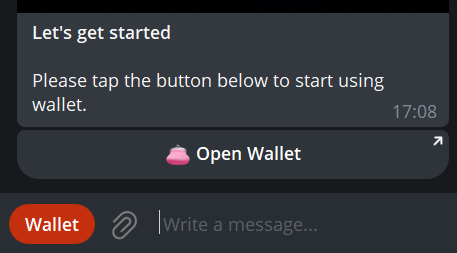
No setup needed, it’s already linked to your Telegram account. Tap Open Wallet (or Wallet) near the message input field.
### Step 2. Add crypto
Inside @wallet tap Deposit:
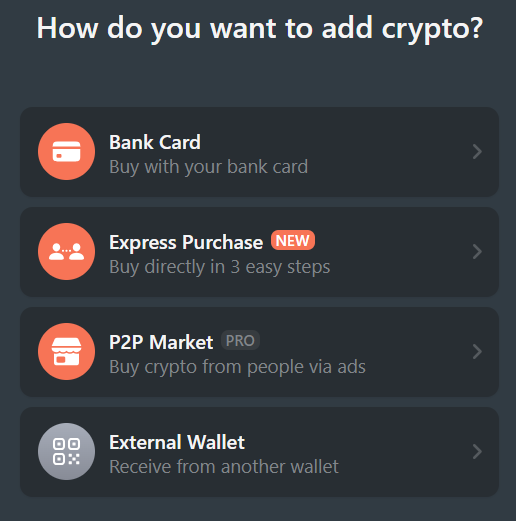
### Step 3. Choose a purchase method
Select a convenient option. We’ll use the simplest one for this example — P2P Express.
### Step 4. Select GRAM
Choose GRAM and tap Continue.
### Step 5. Choose amount and currency
* Select your local currency
* Enter the amount you want to spend
The app will show how much GRAM you’ll receive before confirmation.
### Step 6. Complete the purchase
@wallet will match you with a seller.
Follow the on-screen instructions:
* Send the payment to the provided account
* Wait for confirmation
✅ Once completed, GRAM will appear in your Telegram wallet.
### Why we don’t stop here
@wallet in Telegram is custodial. That means the wallet is managed by a service, not fully by you.
To use STON.fi and DeFi safely, you should move GRAM to a non-custodial wallet (like Tonkeeper), where only you control the keys.
Let’s do that.
### Step 7. Send GRAM from Telegram to your wallet
Open @wallet again and tap Withdraw.
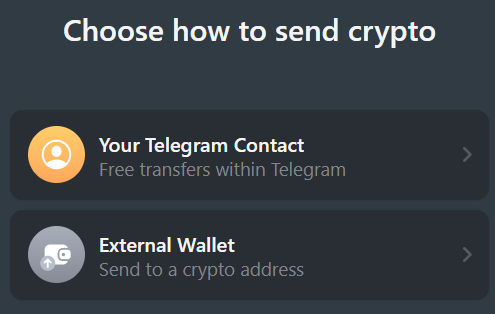
### Step 8. Choose destination
* Select External wallet or exchange
* Choose GRAM
### Step 9. Enter your wallet address
Paste the address of your non-custodial TON wallet. If you’re not sure where to find it, [check the previous guide on wallet addresses](https://guide.ston.fi/en/start-here/where-to-find-your-wallet-address).
### Step 10. Choose amount and send
* Enter the amount of GRAM to send
* Tap Send
⚠️ Leave a small GRAM balance behind — network fees are paid in GRAM.
🎉 Done!
Your GRAM is now in your own non-custodial wallet. You’re ready to connect to STON.fi and start using the TON ecosystem.